Different Types of Ethernet Cables for Routers

As the name suggests Basically, Single pair ethernet is a type of configuration that only uses one type of cable to transmit data that conducts the speed up to 10 Mbps. It is mainly designed for Industrial use and this type of cabling supports Dc power of 52 wats; Covers all the types of devices that need power and data up to a maximum range of 9000 meters. It will also provide you with powerful sensors that have their own power source. It is mainly used for high-performance data transmission( In simple words it is used by large industries).
Single pair Ethernet cable is also known as “twisted pairs” It is usually referred to as twisted pair because a single pair consists of various kinds of conductors, Each one is carrying a different signal. It has also reduced “guts” of the cable by 70% reduced cost, weight, and many more factors like that. As technology is improving day by day the level of industrialization is also increasing. Instead of two or three pairs of wires single pair Ethernet cabling has reduced to just single with the help of single pair ethernet wire for the transmission of power and data.
If there is no single pair of Ethernet cabling there could be thousands of wires in an automobile which could weight around several hundred pounds. So replacing these wired connections with lighter ones have reduced the manufacturing costs and improved the performance. Single pair Ethernet technology has contributed very much in the IT sector. Many companies are working on bringing single pair Ethernet technology to reality. When developing new standards it is necessary to establish connectors, switches, etc. MICE provides valuable information about the specification of tech-related types of equipment, mechanical robustness as well as climatic and chemical resistance.
Cat 5
Before making any further discussion it is important to explain to you that what is cat 5? Generally, Cat5 is a category of the cable network that consists of Four pairs to twisted wires. Usually, cat 5 cables are used in homes and offices which provides you with a speed of about 100 Mb per second. The maximum length of cat5 cables is 100 meters, exceeding this length can cause various types of network issues; which includes transmission speed and data loss. Cat5 cables usually consist of 8 wires and it is important that the wires do not change their order otherwise, The cable will not work properly. There are two types of standards T568A AND T568B both the standard is similar in performance thus Not providing any benefit over one another. Note: You have to make sure that the order of cat5 cables does not change.
Pros
Cat5 supports data transfer speed up to 100mbps in an ethernet network.
- It is only limited to 100Mhz and allows you the length of only 100 meters.
- It is unable to tackle crosswalk issues because of its limitations.
- It is ideal for homes.
Cat6
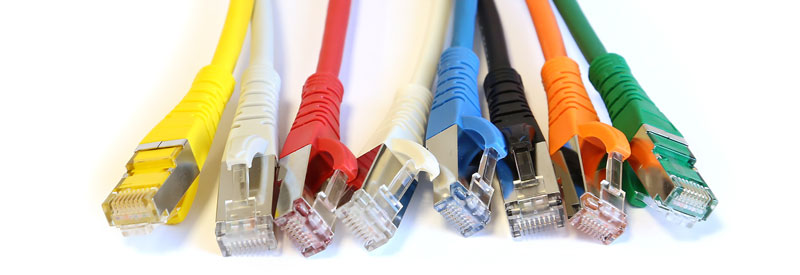
Cat6 network is also known as network, This is basically a twisted pair of copper wire cable that supports the data transfer speed up to 1000gigabit(1 megabit). This helps in the transfer of large files in less time. It is also compatible with previous cables such as cat4,5. It generally uses eight position connecter to connect two devices with cat6. It also uses jacks to improve its performance. Cat6 cables are generally used in offices for connecting a computer with other devices like routers, hubs, etc. In order to share files across a network or access the internet. Cat6 cables are also used for connecting a computer with patch panels, LAN connections, etc. cat6 cables also use the same order as previous ones As with other types of cabling the maximum length of cat 6 cables are 328 feet. Note: cat6 cabling supports the speed of 10 gigabits only at a limited distance so don’t expect that cat6 will provide you with the same speed at 328 feet also.
Pros
- Cat6 supports the speed of up to 10 Gbps on an ethernet network.
- In cat6 you will get frequencies of 250Mhz with improved speed.
- Due to its protective shields, it will reduce crosstalk issues.
- It is also suitable for longer distances.
- It is ideal for large offices and industries.
Difference
There are various types of eternal cable available but it is important to choose the right one, By choosing the right cable can have a massive impact on various things like speed. Both at5 and cat6 cables connect your computer to various things but most of people don’t know about the difference. Although, both of the cables are used for a variety of purposes; In the technology sector, these cables played an important role and have undergone development for a few years. The newer cables have advanced features than previous ones.
The type of cable you choose depends on various factors like the usage of the internet in your business. If you are looking for good internet speed then cat6 cables will be an ideal pick. It reduces something known as crosstalk; While if you are satisfied with your current internet speeds then cat5 will be a good option as it is quite cheaper than cat6. Nowadays many companies are using the cloud, If you are also thinking about moving your server to the cloud then cat5 will be sufficient. This cable is easy to use, reliable and does everything that a normal person needs.
If you are looking for a cable that optimizes your performance ( routerlogin.net )then you can go with cat6. Note: Cat 6 cables are quite thicker than cat5 this is also a point of thinking if your office lack in space.
Conclusion
Confused about which one to choose? Both cables have their own pros and cons and I hope that after reading this article you can easily make a decision. Let me give you a piece of advice If you are looking for a cable for general use then you can go with cat5 and If you are looking for a cable for industrial use then cat6 will be an ideal pick for you. So, If you like this article don’t forget to share it with your friends.